Logo of MTG Carpenter

MTG Carpenter

A new deck-building app for Magic: The Gathering

  • Create Deck
  • Open Deck:
  • Donate
  • User Guide

User Guide

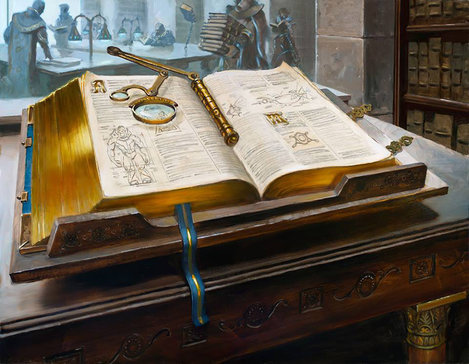
An illustration of a huge book, opened to pages displaying detailed diagrams
Illustration: Urza’s Tomeby Aaron Miller

Preface

This documentation is the User Guide to MTG Carpenter. It should help you understand anything you’d want to know about how this web app works.

The User Guide consists of many chapters. You can skip directly to a chapter you want to read by clicking the relevant link in the table of contents, or by clicking any chapter links existing throughout the Guide’s text.

After reading over the User Guide, if you still have an unanswered question, feel free to ask the app developer.

Enjoy using MTG Carpenter! 📐 🪚 🔨

Game Rules

MTG Carpenter assumes you already know what Magic: The Gatheringis and how to play it. So, you won’t find that information in this User Guide.

If needed, you can refer to the game’s rules at any of these resources:

  • Official Magic rules page– The rules, available in basic and comprehensive versions, straight from Wizards of the Coast.

  • Yawgatog.com– A website that provides Magic’s comprehensive rules, enhanced with links to individual rules and glossary terms.

  • MTG Wiki (Rules portal)– A publicly editable encyclopedia that specializes in topics on Magic.

  • Next ChapterApp Header →

Table of Contents

  1. Preface
    1. Game Rules
  2. App Header
    1. Deck Menu
  3. Creating Decks
    1. Start a New Deck
    2. Replicate Archived Decks
    3. Create from a Plain-Text Card List
    4. About Storage of Deck Data
  4. Deck Workspace
    1. Deck Name
    2. Basic Deck Statistics
      1. Deck Format
      2. Mana Colors
      3. Average Mana Value
      4. Last Edit
      5. Total Cards
    3. Workspace Mode Menu
    4. “Other Deck Actions” Menu
      1. Rename Deck
      2. Duplicate Deck
      3. Customize External Sites
      4. Delete Deck
    5. Workspace Modes
  5. List Editor
    1. Card Bars
    2. Card Quantities
    3. Card Tags
    4. Card Image
    5. List Organizer
      1. Sorting Options
      2. Other Notes
    6. Card Group Switch
      1. Sideboard Header
      2. Secondary Group Uses
    7. Card Search Button
    8. Card Adder
      1. Card Name Only
      2. Set Code
      3. Collector Number
      4. Language Code
      5. Quantity
      6. Card Page URL
      7. #Random
      8. Other Notes
    9. “Add Multiple” Button
  6. Card List Entry
    1. Alternative Entry Formats
      1. Times Sign
      2. Omitted Quantity
      3. Star Tag Heading
    2. Migrating from Other Deck Builders
  7. Stats Analyzer
    1. Data Tables
    2. Category Notes
      1. Symbols in Mana Costs
      2. Mana Values of Spells
      3. Rarities
      4. Producible Mana
      5. Keyword Mechanics
      6. Power/Toughness
      7. Face Layouts
    3. Data Filter
  8. Draw Simulator
    1. “Draw” Button
    2. “Restart” Button
    3. “Cards Drawn” Statistic
    4. “Exclude Star-Tagged Cards” Checkbox
    5. Card List Section
    6. Card Image Section
    7. Other Notes
  9. Deck Exporter
    1. Text List Preferences
    2. Shop on TCGplayer
    3. Copy for Pasting
    4. Save to Deck Archive
    5. Export as Text Document
    6. Print
  10. Keyboard Shortcuts
    1. Workspace Mode Menu
    2. List Editor
      1. Highlighting a Row
      2. Actions to Highlighted Row
      3. Other List Editor Actions
    3. Stats Analyzer
    4. Draw Simulator
    5. Caveats on Keyboard Shortcuts
  11. App Development
    MTG Carpenter — Privacy Policy  //  Terms of Service  //  Release Notes  //  Contact

    Magic: The Gathering IP is TM and © by Wizards of the Coast, LLC. MTG Carpenter is not affiliated with or explicitly endorsed by Wizards of the Coast, but is permitted under its Fan Content Policy. The trademarked names and logos of other companies are the IP of their respective owners. Data and images of Magic cards are provided by Scryfall, LLC through its public API. MTG Carpenter is not affiliated with or explicitly endorsed by Scryfall. All other IP, unless indicated otherwise, is © 2026 by Damian Schmidt of Iristorm Design.